Task Batching: The Research-Backed Case for Grouping Similar Work (and How to Build the Habit)
Task batching isn't a productivity hack — it's applied cognitive science. Here's what the research on attention residue, switching costs, and cognitive load actually says about grouping similar work, and a concrete framework for building the habit.
Every time a developer switches from writing code to checking Slack, then back to code, then to email, then back to code again, their brain pays a tax. Not a metaphorical tax — a measurable, experimentally documented cognitive cost that accumulates across every switch in the day.
Task batching — grouping cognitively similar tasks into dedicated time blocks — is the direct countermeasure. It’s not a productivity tip. It’s an application of three converging lines of cognitive science research, all pointing to the same conclusion: mode-switching is one of the most expensive things knowledge workers do, and reducing it produces measurably better outcomes.
Here’s what the research actually says.
The Cognitive Cost of Context Switching
Three mechanisms explain why switching between different types of work is so costly.
Attention residue
In 2009, Sophie Leroy at the University of Minnesota published a paper titled “Why is it so hard to do my work?” in Organizational Behavior and Human Decision Processes. She ran two experiments demonstrating that when people move from Task A to Task B, cognitive activity about Task A persists — occupying working memory and reducing capacity for Task B.
She called this attention residue: the mental traces of a prior task that shadow your current one. Her experiments showed that participants who left Task A unfinished performed measurably worse on Task B. Even completing Task A didn’t fully eliminate residue unless done under time pressure that forced decisive disengagement.
The implication for knowledge work is stark. Every time you glance at your inbox between writing sessions, you’re not just losing the seconds it takes to read the email. You’re loading cognitive residue that degrades your performance on the work you return to.
Switching costs: goal shifting and rule activation
Rubinstein, Meyer, and Evans published a landmark study in the Journal of Experimental Psychology in 2001 identifying two distinct cognitive operations that occur every time you switch tasks:
Goal shifting — deciding to do one task instead of another
Rule activation — turning off the cognitive rules for the previous task and loading the rules for the new one
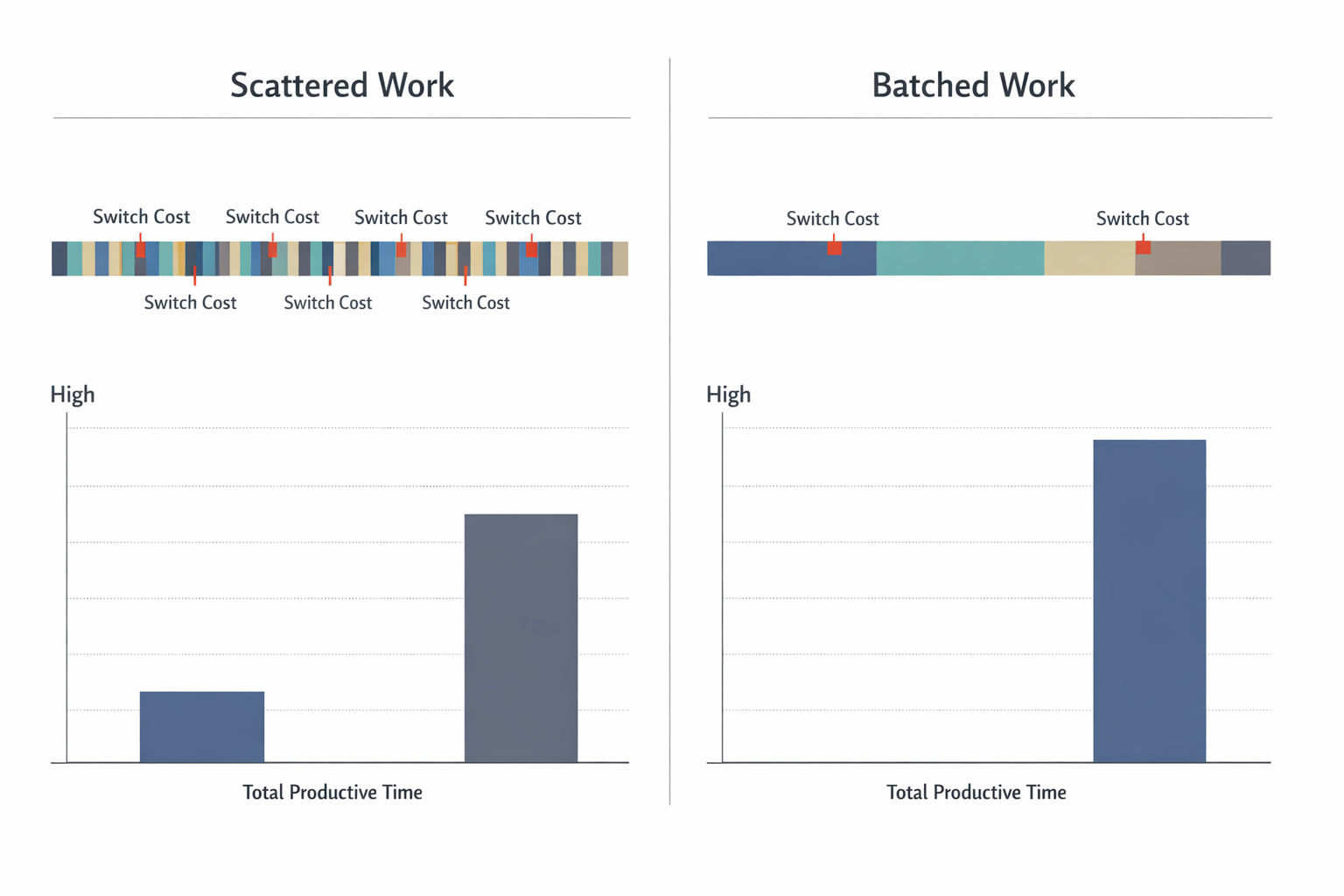
Both operations take time and introduce errors. Critically, the costs scale with complexity: switching between two simple tasks is relatively cheap, but switching between complex, dissimilar tasks — like moving from code review to a client proposal — is expensive. The American Psychological Association estimates these accumulated switch costs can consume up to 40% of productive time. The research on single-tasking versus multitasking goes deeper on why the brain’s serial processing architecture makes true parallel work on dissimilar tasks biologically impossible.
The 23-minute recovery problem
Gloria Mark, Chancellor’s Professor of Informatics at UC Irvine, studied how knowledge workers actually use their time. Her finding, published in “The Cost of Interrupted Work” (2008): after an interruption, it takes an average of 23 minutes and 15 seconds to return to the original task.
People do compensate — Mark found they work faster after interruptions. But this acceleration comes at a price: significantly higher stress, frustration, time pressure, and effort. You’re burning more cognitive fuel to produce the same output. For a research-backed guide to what this recovery actually requires — and how to shorten it — see how to regain focus after interruption. Understanding what happens in the brain during deep focused effort also clarifies why these recovery costs are so steep: re-entering a genuinely focused cognitive state isn’t simply a matter of returning your attention — it involves rebuilding specific neurochemical and prefrontal cortex conditions from scratch.
The compounding problem
Knowledge workers now toggle between applications approximately 1,200 times per day, according to RescueTime data. Gloria Mark's more recent research shows attention spans on screens have declined to just 47 seconds — down from 2.5 minutes in previous years. The fragmentation problem is accelerating.
What Task Batching Actually Is
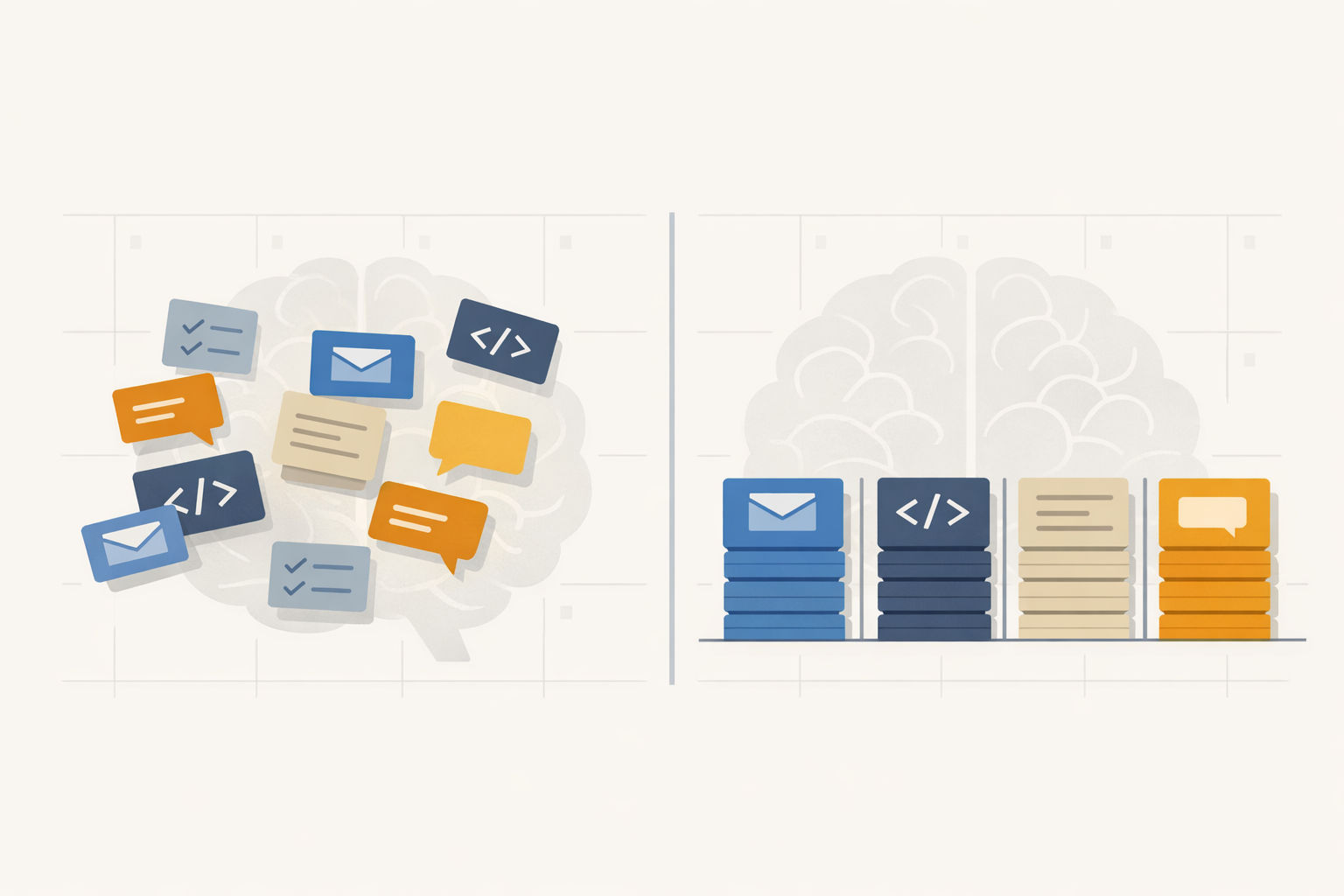
Task batching means grouping cognitively similar tasks into a single dedicated time block, so the setup cost — goal shifting, rule activation, context loading — is paid once instead of once per task.
Instead of checking email between every other task (paying the switching tax dozens of times), you process all email in one 30-minute window. Instead of reviewing pull requests as they arrive throughout the day, you batch code reviews into a single afternoon slot. Instead of scattering admin across every gap in your calendar, you consolidate invoicing, scheduling, and expense reports into one block.
The principle is straightforward: tasks that share cognitive mode, tools, and mental context belong together. When you batch them, your brain stays in a single operational mode longer, preserving the warm cognitive state built during sustained work.
Batching reduces the number of cognitive transitions in a workday. Fewer transitions means less time lost to goal shifting, rule activation, and attention residue.
The Evidence for Batching
The cognitive science of switching costs predicts that batching should improve speed, accuracy, and fatigue. The data confirms it.
In controlled studies at the University of Illinois and Carnegie Mellon, participants who batched comparable cognitive tasks completed work 28–33% faster and made 40% fewer errors than those who alternated between dissimilar tasks.
A 2023 study published in SAGE Journals (“The Cognitive Load–Productivity Tradeoff in Task Switching”) compared task-set-focused strategies — essentially batching all subtasks of one type before moving to the next — against rapid instance-focused switching. The batching approach balanced cognitive load better, lowered the probability of forgetting, and reduced working memory demands. This is exactly what cognitive load theory predicts: your working memory has a hard capacity limit, and every mode switch pays into a shared cognitive budget.
Microsoft Research studied email habits across 40 information workers over 12 workdays. Their finding: workers who batched email — clustering checks at scheduled times rather than responding to notifications — reported higher productivity, particularly those with heavy email loads. Notification-triggered email checking was associated with the lowest productivity ratings.
A 2024 RescueTime field study of software teams found that those who adopted batching practices shipped features one sprint earlier on average — a concrete, team-level outcome.
The Batching Spectrum: What Works and What Doesn’t
Not every task benefits equally from batching. The key variable is cognitive similarity — how much two tasks share the same mental mode, rules, and tools.
Tasks that share cognitive mode, tools, and complexity batch well. Tasks requiring unique context loading for each instance don't.
Batches Well
Why
Batches Poorly
Why
Email and Slack messages
Same communication mode, same tools, low complexity per unit
Novel architectural decisions
Each requires unique context loading; no shared rule set
Code review
Same analytical mode, same tooling, similar evaluation criteria across PRs
Creative problem-solving on unrelated problems
Different cognitive modes, high context per problem
Each client has unique context; batching loses personalization
Writing (drafts, documentation, blog posts)
Same generative mode, similar tools
Bug triage across unrelated systems
Different codebases load different mental models
Meeting prep and follow-ups
Same review/planning mode for all meetings
Strategic planning mixed with tactical execution
Fundamentally different cognitive demands
The batching trap for creative work
Batching is most powerful for tasks with high volume and low per-unit context — like email, admin, and code review. For work that requires deep, novel thinking on a unique problem, batching can actually hurt by preventing the sustained immersion that produces breakthroughs. The rule of thumb: batch the shallow, protect the deep. This is precisely what flow state research shows: the deep cognitive engagement that produces the highest-quality work requires uninterrupted focus — which is the very condition batching helps create by clearing shallow tasks out of the way.
How to Build the Habit: A 4-Step Framework
Knowing that batching works is one thing. Actually restructuring your day around it requires a specific process.
Implementing Task Batching
Step 1
Audit your task types
For one week, log every task you do and tag it with a category: communication (email, Slack, calls), creation (writing, coding, designing), review (code review, document feedback, approvals), admin (invoicing, scheduling, expenses), and meetings. Most knowledge workers discover they switch categories 30–50 times per day. The goal isn't to eliminate all switches — it's to see where the most expensive ones are.
Step 2
Group by cognitive mode
Cluster your task categories by the mental mode they require. Communication tasks share a reactive, short-burst mode. Creation tasks share a generative, sustained-focus mode. Review tasks share an evaluative, criteria-based mode. Admin shares a procedural, low-load mode. Tasks within the same mode are your batching candidates.
Step 3
Schedule batch windows on your calendar
Assign each batch to a specific time block. A proven starting structure: process email and Slack in two or three fixed windows per day (e.g., 9:00 AM, 12:30 PM, 4:30 PM). Batch all code review into one 45-minute afternoon slot. Consolidate admin into a single weekly block (e.g., Friday 2–3 PM). Reserve your peak cognitive hours — typically the first 2–4 hours of your workday — for creation tasks, unbatched and uninterrupted.
Step 4
Defend the boundaries
Batching only works if you actually stay in the batch. Close email outside your email windows. Set Slack to Do Not Disturb outside communication blocks. If an interruption arrives during a creation block, write it down and route it to the appropriate batch — don't switch. Sophie Leroy's research shows that even briefly engaging with an interruption creates attention residue that degrades your current task.
People experience attention residue when they switch from Task A to Task B — cognitive activity about Task A persists and reduces performance on Task B. Even a brief glance at an unrelated task creates residue.
How Batching Maps Onto Time Blocking
Task batching and time blocking are natural complements. Time blocking answers when you’ll work on something. Batching answers what belongs together.
The combination works because it creates what psychologists call implementation intentions — specific plans that link a behavior to a time and context. A meta-analysis by Gollwitzer and Sheeran (2006) found that implementation intentions increase follow-through rates with a medium-to-large effect size (d = 0.65). “Process email” is vague. “Process email at 9:00 AM, 12:30 PM, and 4:30 PM in 25-minute blocks” is an implementation intention.
In practice, this means your daily plan should look less like a task list and more like a sequence of batch blocks, each assigned to a specific time. If you’re scheduling tasks by cognitive load, your high-load creation blocks go in your peak hours and your low-load batch blocks (email, admin) fill the valleys.
This is exactly the kind of structure Daybook is built for. Because it’s keyboard-first and plain text, you can lay out batch blocks in seconds — type the time, type the batch, move on. No dragging, no clicking through modal dialogs. The speed matters because the lower the friction to plan your batches, the more likely you are to actually do it.
The Honest Limits
Batching isn’t a universal solution. Three constraints are worth noting:
Some roles don’t allow it. If your job is primarily reactive — customer support, incident response, executive assistance — rigid batching may not be feasible. The principle still applies in smaller windows: even batching within a 90-minute block is better than constant switching.
Batching email creates response latency. If you check email three times a day instead of continuously, some messages will wait hours. This is a real tradeoff. For most knowledge workers, the productivity gain far outweighs the delay. But it requires communicating your availability clearly — especially if colleagues expect instant responses.
Over-batching kills flexibility. If every minute of your day is assigned to a batch, you have no buffer for genuinely urgent work or creative tangents worth following. Build slack time into your schedule — 15–20% of your day should be unallocated.
Task batching works because it aligns how you structure your day with how your brain actually processes work. The research on attention residue, switching costs, and cognitive load all converge on the same insight: staying in one cognitive mode is cheaper than switching between many. Every batch block you create is one less set of switching taxes you pay.
Build your batch blocks in seconds
Daybook is a keyboard-first daily planner built for time blocking. Lay out your batch windows in plain text, rearrange with a keystroke, and protect your deep work blocks — no clicking required.